Blog
Most SaaS landing pages fail not because they look unprofessional, but because they create confusion instead of clarity. Visitors land on your page with a specific problem, and if they can't immediately understand what you do, who it's for, and why they should trust you, they bounce—regardless of how polished your design looks.
The difference between a 2% and 8% trial conversion rate often comes down to five critical barriers: unclear value propositions, weak social proof, confusing navigation paths, mobile friction, and CTAs that don't match visitor intent. This systematic audit framework helps you identify which barriers are killing your conversions and prioritize fixes that deliver the biggest impact.
Your Pre-Audit Reality Check: Is Your Landing Page Ready for Optimization?
Before diving into conversion tweaks, you need to know whether your page needs foundational fixes or refinement. Four qualifying questions will save you time and effort:
Can first-time visitors explain what you do in one sentence? If your own team struggles to describe your product clearly, visitor confusion is guaranteed. Is your page technically functional? Broken forms, slow load times, or mobile display issues need fixing before conversion optimization makes sense. Do you have at least 100 weekly visitors? Lower traffic makes A/B testing unreliable—focus on obvious improvements first. Is your core messaging stable? If you're still pivoting your positioning, optimize for clarity before conversion rate.
For early-stage teams, prioritize messaging clarity and technical stability. For growth-stage SaaS with proven product-market fit, focus on conversion optimization and systematic testing. If you're using platforms like Framer for rapid iteration, you have an advantage—you can test messaging changes and design updates quickly without developer bottlenecks, making it easier to experiment with different approaches until you find what resonates with your specific audience.
The 7-Second Hero Section Audit: Does Your Above-the-Fold Pass the Clarity Test?
Your hero section has one job: help visitors decide whether to stay or leave. Here's how to audit the most critical real estate on your landing page using the "confused visitor test."
Headline evaluation: Can a stranger read your headline and immediately understand what category of solution you provide? "AI-powered customer success platform" works better than "Revolutionize your customer relationships." Your headline should pass the mom test—if your mom can't explain what you do after reading it, it's too vague.
Subheadline clarity: This should answer "who is this for" and "what's the main benefit." Instead of listing features, focus on the outcome: "Help B2B teams reduce churn by 40% with automated health scoring" tells visitors exactly who should care and why.
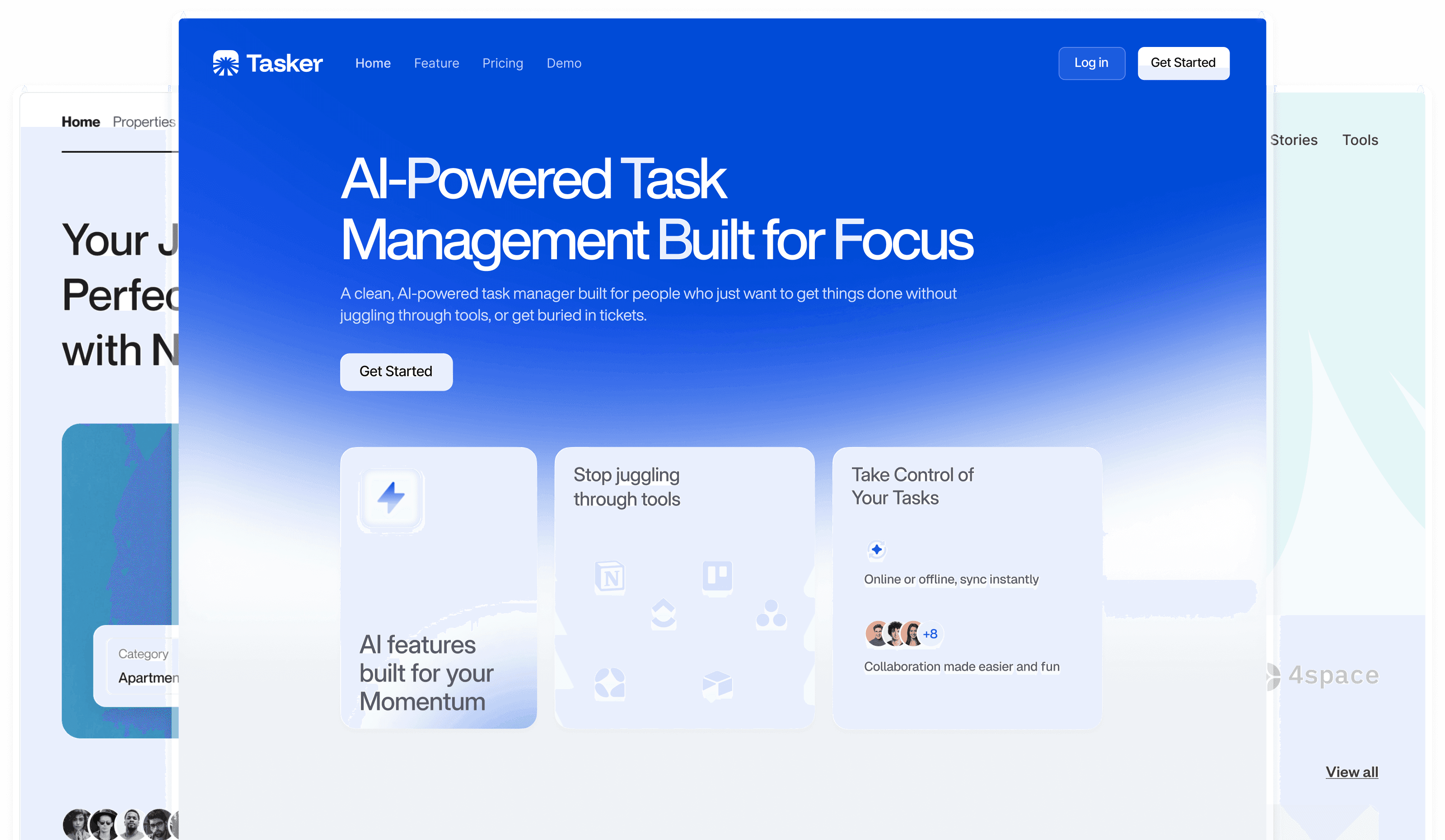
Hero visual relevance: Screenshots of your actual product interface work better than abstract illustrations or stock photos. If you're showing a demo or product walkthrough, make sure it displays your core value proposition, not just pretty UI. The visual should support comprehension, not just decoration.
Primary CTA positioning: Your main call-to-action should be visible without scrolling and use action words that match visitor intent. "Start free trial" works when your product has self-serve onboarding. "Schedule demo" fits better for complex B2B tools requiring sales support.
Mobile-first evaluation: Over 60% of B2B software research starts on mobile. Your hero section should be just as compelling on a phone screen—test headline readability, CTA tap targets, and visual clarity on actual devices, not just browser developer tools.
Value Proposition Forensics: Why Visitors Can't Figure Out What You Actually Do
The biggest conversion killer in SaaS isn't bad design—it's unclear messaging. Three common mistakes create immediate confusion and drive qualified prospects away.
Feature-focused copy instead of outcome-driven messaging: "Advanced analytics dashboard with real-time reporting" tells visitors what you built, not what they'll achieve. "See which marketing campaigns actually drive revenue" connects features to business outcomes. Always lead with the result, then explain how you deliver it.
Generic benefits that apply to every competitor: "Increase productivity and save time" could describe any software tool. Specific benefits create differentiation: "Reduce manual data entry from 4 hours to 15 minutes per week." Numbers make benefits tangible and help visitors calculate ROI.
Competitor copycat syndrome: If your messaging sounds identical to three other tools in your space, visitors can't distinguish why they should choose you. Study your competitors' landing pages, then deliberately position against their approach. If they emphasize ease-of-use, emphasize power. If they focus on individual productivity, focus on team collaboration.
The "mom test" for SaaS value props: After reading your hero section, could your mom explain to a neighbor what your product does and who should use it? If the explanation requires industry jargon or multiple sentences, your messaging needs simplification.
Industry-specific messaging examples: B2B SaaS should emphasize business outcomes like "reduce costs," "increase revenue," or "mitigate risk." B2C SaaS can focus on personal benefits like "save time," "reduce stress," or "achieve goals faster." Match your value proposition to how your audience thinks about success.
Social Proof That Actually Converts: Beyond Generic Testimonials
Not all social proof carries equal weight for SaaS conversions. Here's how to audit and optimize the trust signals that matter most for trial signups and demo bookings.
Social proof hierarchy for SaaS: Customer logos build initial credibility, especially if visitors recognize the brands. Usage statistics ("Join 10,000+ marketing teams") show market validation. Case study snippets with specific results ("Increased conversion rates 23% in 90 days") provide concrete proof of value. Security badges and certifications address risk concerns for enterprise buyers.
Testimonial quality evaluation: Strong testimonials include three elements: specific results achieved, the person's title/company, and context about their use case. "This tool helped us close 30% more deals in Q4. As VP of Sales at a 200-person company, I was skeptical about changing our process, but the ROI was clear within two months." Generic praise like "Great product!" adds little credibility.
Placement optimization: Social proof works best near decision points. Customer logos belong in the hero section for immediate credibility. Specific testimonials should appear near CTAs to reduce signup hesitation. Case studies work well in "How it works" sections to demonstrate practical application.
Trust signal authenticity: Real customer photos, LinkedIn profile links, and specific company details make testimonials more credible. Video testimonials carry more weight than text quotes. G2, Capterra, or industry-specific review site badges show third-party validation.
Proof-point matching: Different visitors need different validation. Enterprise prospects care about security certifications and Fortune 500 client logos. SMB users respond better to peer testimonials and "companies like yours" messaging. Segment your social proof to match visitor intent and company size.
CTA Psychology Audit: Why Your Buttons Aren't Converting Browsers into Trial Users
Call-to-action optimization goes deeper than button color. The psychology behind CTA conversion involves matching button copy to visitor intent, addressing risk concerns, and creating clear next steps.
Primary vs. secondary CTA strategy: Most SaaS landing pages need two conversion paths. Your primary CTA should target high-intent visitors ready to try your product—"Start free trial" or "Get started free." Your secondary CTA serves researchers who need more information—"Schedule demo," "See how it works," or "Download buyer's guide." Different visitor types have different comfort levels with commitment.
Button copy that matches visitor intent: "Free trial" works when your product has immediate value and easy onboarding. "Schedule demo" fits complex tools requiring explanation or customization. "Get instant access" emphasizes speed. "See pricing" serves cost-conscious buyers doing vendor comparisons. Test different copy to see what resonates with your audience.
Risk-reduction copy techniques: Adding "No credit card required," "Cancel anytime," or "14-day free trial" below CTAs reduces signup friction. For enterprise tools, "Talk to sales" or "Custom demo" can feel less risky than generic "Get started" buttons for high-stakes buying decisions.
Urgency and scarcity applications: Real urgency works better than artificial deadlines. "Join our next onboarding cohort starting Monday" creates genuine time pressure. "Limited beta access" works if actually true. Fake countdown timers or arbitrary deadlines damage trust and credibility.
Mobile CTA accessibility: Buttons need sufficient size for thumb taps (minimum 44px height). Ensure adequate spacing between multiple CTAs. Test form completion flows on mobile—friction points that seem minor on desktop can kill conversions on smaller screens.
A/B testing priorities: Start with CTA copy variations before testing colors or placement. "Start your free trial" vs. "Try [Product Name] free" vs. "Get started in 60 seconds" can show significant conversion differences. Button color tests often yield minimal gains compared to copy improvements.
The Feature-Benefit Translation Audit: Making Your Product Capabilities Compelling
Features tell visitors what you built. Benefits explain what they'll achieve. Most SaaS landing pages get stuck describing functionality instead of outcomes, making it harder for visitors to understand value.
Feature-to-benefit translation framework: Take each feature and complete this sentence: "This feature means you can [specific outcome]." Instead of "Advanced reporting dashboard," say "See which campaigns drive revenue so you can double down on what works." Instead of "API integrations," say "Connect your existing tools so your team doesn't have to change their workflow."
Pain point mapping exercise: List the top three problems your product solves. Then map each feature to one of these pain points. If a feature doesn't clearly address a core problem, either remove it from your landing page or reframe it. Visitors care about solving their problems, not admiring your technical capabilities.
Social proof integration with features: Pair feature descriptions with customer results. "Our automated lead scoring helped Acme Corp increase qualified leads by 45% in their first quarter." This approach shows both what the feature does and what customers achieve with it.
Feature presentation hierarchy: Lead with your strongest differentiator—the feature that most clearly separates you from competitors. Support features that enable your core value proposition come second. Nice-to-have features belong in comparison pages or detailed feature lists, not your main landing page narrative.
Visual presentation audit: Screenshots should highlight actual value, not just interface beauty. Show before-and-after states, completed workflows, or meaningful data. Annotated screenshots that call out key benefits work better than unlabeled interface tours.
Competitive differentiation highlighting: When describing features, subtly reference what others don't offer. "Unlike tools that require technical setup, our one-click integrations work immediately" positions against complex competitors without naming them directly.
Mobile Conversion Killers: The 8-Point Mobile Experience Audit
Mobile optimization for SaaS goes beyond responsive design. Mobile visitors have different contexts, attention spans, and interaction patterns that affect conversion rates.
Mobile page load speed assessment: Use Google PageSpeed Insights to test your landing page on mobile networks. Anything above 3 seconds creates significant drop-off. Compress images, minimize JavaScript, and consider removing non-essential elements from mobile views. Speed affects not just user experience but search rankings.
Thumb-friendly CTA placement: Primary buttons should fall within easy thumb reach—typically the bottom third of the screen. Avoid placing important CTAs too high or requiring precision taps. Test button spacing to prevent accidental clicks on adjacent elements.
Mobile form optimization: Long signup forms kill mobile conversions. Collect only essential information upfront—email and company name might be enough for trial signups. Use proper input types (email keyboards for email fields, number pads for phone numbers) and enable autofill to reduce typing friction.
Mobile hero section effectiveness: Your value proposition must work in a small vertical space. Test whether your headline, sub-headline, and primary CTA are visible simultaneously on common screen sizes. Consider shorter, punchier copy for mobile versions.
Mobile social proof visibility: Customer logos that look impressive on desktop can become unreadable thumbnails on mobile. Test whether testimonials remain compelling when compressed into narrow columns. Consider mobile-specific social proof formats.
Mobile navigation and back-button considerations: Visitors arriving from mobile search often browse differently than desktop users. Ensure your navigation doesn't hide important pages behind hamburger menus. Make it easy for visitors to return to your homepage after exploring specific features or pricing.
Mobile-specific trust signals: Security badges and certification logos need sufficient size to remain credible on small screens. Payment security information becomes more important in mobile contexts where users feel more vulnerable to security risks.
Landing Page Speed and Technical Conversion Blockers
Technical issues can destroy conversion rates even when your messaging and design are perfect. A systematic technical audit identifies hidden barriers that drive qualified visitors away.
Page load speed benchmarks: Aim for under 3 seconds on desktop, under 4 seconds on mobile. Use tools like GTmetrix, Pingdom, or Google PageSpeed Insights for accurate measurements. Test from different geographic locations if you serve international customers—a fast site in California might be slow for European visitors.
Form functionality verification: Test every form field, validation message, and error state. Check email confirmation flows, password reset links, and account activation processes. Broken signup flows are conversion killers that many teams discover too late. Test with different email providers, browsers, and devices.
Cross-browser compatibility: Your landing page should work identically across Chrome, Safari, Firefox, and Edge. Pay special attention to form functionality, video playback, and interactive elements. Mobile Safari and Chrome often handle elements differently than desktop versions.
Analytics and tracking verification: Confirm that conversion tracking works correctly for trials, demo bookings, and form submissions. Set up goal funnels to identify drop-off points. Broken analytics means you can't measure optimization efforts or identify problem areas.
SSL and security indicators: Modern browsers flag non-HTTPS sites as insecure, damaging trust before visitors even read your content. Ensure SSL certificates are properly configured and security badges display correctly. This is especially critical for SaaS products handling business data.
Framer-specific performance optimization: Framer sites can achieve excellent performance with proper optimization. Compress images before upload, use Framer's built-in lazy loading for below-the-fold content, and minimize custom code components that might slow rendering. For teams migrating from WordPress to Framer, the performance improvement alone often boosts conversion rates.
Advanced Personalization Opportunities: Beyond One-Size-Fits-All Landing Pages
Growth-stage SaaS companies can significantly improve conversions by tailoring landing page experiences to different visitor segments and traffic sources.
Visitor segmentation strategies: Different audiences have different concerns and decision criteria. Enterprise visitors care about security, integrations, and support. SMB visitors prioritize ease-of-use and quick setup. Individual users focus on personal productivity gains. Create targeted landing page variants that speak directly to each segment's priorities.
Traffic source optimization: Visitors from Google Ads have different intent than organic search visitors. Paid traffic often responds better to direct value propositions and immediate trial offers. Organic visitors might prefer educational content and gradual nurturing. Social media traffic typically needs more context and social proof before converting.
Dynamic content personalization: Use visitor data to customize messaging without creating separate pages. Show industry-specific examples, adjust pricing displays based on company size, or highlight relevant integrations based on detected technology stacks. Tools like Clearbit or HubSpot can enrich visitor data for real-time personalization.
Industry-specific landing page variations: Create dedicated pages for your top three industries. A CRM tool might have separate pages for real estate agents, insurance brokers, and software companies—each highlighting relevant use cases, integrations, and testimonials specific to that industry.
Progressive disclosure techniques: Complex B2B products can overwhelm visitors with too much information. Use progressive disclosure to reveal details based on engagement level. Start with core value propositions, then reveal advanced features, pricing details, and technical specifications as visitors demonstrate interest through scrolling or clicking.
Referral source customization: Visitors from partner referrals or affiliate links might need different messaging than cold traffic. Reference the partnership, adjust trust signals, and modify CTAs to acknowledge the referral relationship.
Your Priority Action Plan: High-Impact Changes to Make This Week
Transform your audit findings into actionable improvements using this impact-versus-effort prioritization framework. Start with changes that deliver maximum conversion lift with minimal resource investment.
Week 1 quick wins: Fix any broken forms or technical issues immediately—these have 100% impact on conversion. Clarify your headline using the "mom test"—if it's confusing, rewrite it before anything else. Add "No credit card required" or similar risk-reduction copy to your primary CTA if you don't already have it. These changes require minimal effort but can improve conversion rates immediately.
Week 2-3 optimizations: Improve your hero section social proof by adding customer logos or usage statistics if missing. Rewrite feature descriptions to focus on outcomes rather than functionality. Optimize your mobile experience by testing form completion flows and fixing any friction points. Test your page load speed and compress images if necessary.
Month 1 systematic improvements: Develop A/B test hypotheses based on your audit findings. Start with high-traffic elements like headlines and primary CTAs. Create mobile-optimized versions of key conversion elements. Add specific testimonials with results and customer context near your main CTAs.
Impact vs. effort change prioritization: High-impact, low-effort changes include clarifying messaging, fixing technical bugs, and adding risk-reduction copy. High-impact, high-effort improvements might include creating personalized landing page variants or implementing advanced tracking. Low-impact changes like minor design tweaks should wait until fundamental issues are resolved.
Resource allocation for different team sizes: Solo founders should focus on messaging clarity and one primary conversion path. Small teams can tackle mobile optimization and basic A/B testing. Larger teams can implement personalization, advanced tracking, and systematic testing programs.
When to get professional help: Consider external support if your internal team lacks conversion optimization experience, if you need rapid iteration capability, or if technical implementations are blocking progress. The cost of professional optimization often pays for itself through improved conversion rates within the first few months.
A/B Testing Your Landing Page Changes: What to Test First for Maximum Impact
Random A/B testing wastes time and traffic. Strategic testing focuses on elements with the highest conversion impact and largest visitor exposure.
Testing priority hierarchy: Start with your headline—it's the first thing visitors see and affects everyone who lands on your page. Next, test your primary CTA copy and placement. Then experiment with your hero section layout and value proposition presentation. Save lower-impact elements like button colors and secondary features for later.
Statistical significance requirements: Most SaaS landing pages need at least 100 conversions per variation to reach statistical significance. If your page gets fewer conversions than that weekly, focus on obvious improvements rather than subtle A/B tests. Rushed testing with insufficient sample sizes leads to false conclusions and wasted effort.
Testing duration guidelines: Run tests for at least one full business cycle—typically 1-2 weeks for B2B SaaS to account for weekday versus weekend traffic differences. Don't stop tests early even if one variation appears to be winning. Day-of-week and time-of-day patterns can skew early results.
Multi-variant testing considerations: Test one major element at a time unless you have very high traffic volumes. Simultaneous headline and CTA tests make it impossible to identify which change drove improvement. If you must test multiple elements, use proper multivariate testing tools that can isolate individual effects.
Testing tools and setup: Google Optimize integrates well with Google Analytics for most basic tests. Optimizely offers more advanced features for enterprise teams. VWO provides good middle-ground functionality. Ensure proper conversion tracking before starting any tests—you can't optimize what you can't measure accurately.
Common testing mistakes: Don't call winners too early, don't test multiple major changes simultaneously, don't ignore mobile-specific results, and don't assume winning tests will work forever. Test results need periodic validation as your traffic sources and audience composition evolve.
The goal is not to create the most beautiful landing page in your industry - it's to build the clearest path from visitor interest to trial signup. Focus your optimization efforts on reducing confusion, addressing concerns, and making the next step obvious. With systematic testing and continuous improvement, you can double or triple your conversion rates within a few months.
If you need help implementing these optimizations or want a professional audit of your current page, Rubik specializes in conversion-focused SaaS landing pages that turn visitors into customers.
The High-Converting SaaS Landing Page Audit: Your 15-Point Checklist to Double Trial Signups
Most SaaS landing pages fail not because they look unprofessional, but because they create confusion instead of clarity. Visitors land on your page with a specific problem, and if they can't immediately understand what you do, who it's for, and why they should trust you, they bounce - regardless of how polished your design looks.
The difference between a 2% and 8% trial conversion rate often comes down to five critical barriers: unclear value propositions, weak social proof, confusing navigation paths, mobile friction, and CTAs that don't match visitor intent. This systematic audit framework helps you identify which barriers are killing your conversions and prioritize fixes that deliver the biggest impact.
Your Pre-Audit Reality Check: Is Your Landing Page Ready for Optimization?
Before diving into conversion tweaks, you need to know whether your page needs foundational fixes or refinement. Four qualifying questions will save you time and effort:
Can first-time visitors explain what you do in one sentence? If your own team struggles to describe your product clearly, visitor confusion is guaranteed. Is your page technically functional? Broken forms, slow load times, or mobile display issues need fixing before conversion optimization makes sense. Do you have at least 100 weekly visitors? Lower traffic makes A/B testing unreliable—focus on obvious improvements first. Is your core messaging stable? If you're still pivoting your positioning, optimize for clarity before conversion rate.
For early-stage teams, prioritize messaging clarity and technical stability. For growth-stage SaaS with proven product-market fit, focus on conversion optimization and systematic testing. If you're using platforms like Framer for rapid iteration, you have an advantage—you can test messaging changes and design updates quickly without developer bottlenecks, making it easier to experiment with different approaches until you find what resonates with your specific audience.
The 7-Second Hero Section Audit: Does Your Above-the-Fold Pass the Clarity Test?
Your hero section has one job: help visitors decide whether to stay or leave. Here's how to audit the most critical real estate on your landing page using the "confused visitor test."
Headline evaluation: Can a stranger read your headline and immediately understand what category of solution you provide? "AI-powered customer success platform" works better than "Revolutionize your customer relationships." Your headline should pass the mom test—if your mom can't explain what you do after reading it, it's too vague.
Subheadline clarity: This should answer "who is this for" and "what's the main benefit." Instead of listing features, focus on the outcome: "Help B2B teams reduce churn by 40% with automated health scoring" tells visitors exactly who should care and why.
Hero visual relevance: Screenshots of your actual product interface work better than abstract illustrations or stock photos. If you're showing a demo or product walkthrough, make sure it displays your core value proposition, not just pretty UI. The visual should support comprehension, not just decoration.
Primary CTA positioning: Your main call-to-action should be visible without scrolling and use action words that match visitor intent. "Start free trial" works when your product has self-serve onboarding. "Schedule demo" fits better for complex B2B tools requiring sales support.
Mobile-first evaluation: Over 60% of B2B software research starts on mobile. Your hero section should be just as compelling on a phone screen—test headline readability, CTA tap targets, and visual clarity on actual devices, not just browser developer tools.
Value Proposition Forensics: Why Visitors Can't Figure Out What You Actually Do
The biggest conversion killer in SaaS isn't bad design—it's unclear messaging. Three common mistakes create immediate confusion and drive qualified prospects away.
Feature-focused copy instead of outcome-driven messaging: "Advanced analytics dashboard with real-time reporting" tells visitors what you built, not what they'll achieve. "See which marketing campaigns actually drive revenue" connects features to business outcomes. Always lead with the result, then explain how you deliver it.
Generic benefits that apply to every competitor: "Increase productivity and save time" could describe any software tool. Specific benefits create differentiation: "Reduce manual data entry from 4 hours to 15 minutes per week." Numbers make benefits tangible and help visitors calculate ROI.
Competitor copycat syndrome: If your messaging sounds identical to three other tools in your space, visitors can't distinguish why they should choose you. Study your competitors' landing pages, then deliberately position against their approach. If they emphasize ease-of-use, emphasize power. If they focus on individual productivity, focus on team collaboration.
The "mom test" for SaaS value props: After reading your hero section, could your mom explain to a neighbor what your product does and who should use it? If the explanation requires industry jargon or multiple sentences, your messaging needs simplification.
Industry-specific messaging examples: B2B SaaS should emphasize business outcomes like "reduce costs," "increase revenue," or "mitigate risk." B2C SaaS can focus on personal benefits like "save time," "reduce stress," or "achieve goals faster." Match your value proposition to how your audience thinks about success.
Social Proof That Actually Converts: Beyond Generic Testimonials
Not all social proof carries equal weight for SaaS conversions. Here's how to audit and optimize the trust signals that matter most for trial signups and demo bookings.
Social proof hierarchy for SaaS: Customer logos build initial credibility, especially if visitors recognize the brands. Usage statistics ("Join 10,000+ marketing teams") show market validation. Case study snippets with specific results ("Increased conversion rates 23% in 90 days") provide concrete proof of value. Security badges and certifications address risk concerns for enterprise buyers.
Testimonial quality evaluation: Strong testimonials include three elements: specific results achieved, the person's title/company, and context about their use case. "This tool helped us close 30% more deals in Q4. As VP of Sales at a 200-person company, I was skeptical about changing our process, but the ROI was clear within two months." Generic praise like "Great product!" adds little credibility.
Placement optimization: Social proof works best near decision points. Customer logos belong in the hero section for immediate credibility. Specific testimonials should appear near CTAs to reduce signup hesitation. Case studies work well in "How it works" sections to demonstrate practical application.
Trust signal authenticity: Real customer photos, LinkedIn profile links, and specific company details make testimonials more credible. Video testimonials carry more weight than text quotes. G2, Capterra, or industry-specific review site badges show third-party validation.
Proof-point matching: Different visitors need different validation. Enterprise prospects care about security certifications and Fortune 500 client logos. SMB users respond better to peer testimonials and "companies like yours" messaging. Segment your social proof to match visitor intent and company size.
CTA Psychology Audit: Why Your Buttons Aren't Converting Browsers into Trial Users
Call-to-action optimization goes deeper than button color. The psychology behind CTA conversion involves matching button copy to visitor intent, addressing risk concerns, and creating clear next steps.
Primary vs. secondary CTA strategy: Most SaaS landing pages need two conversion paths. Your primary CTA should target high-intent visitors ready to try your product—"Start free trial" or "Get started free." Your secondary CTA serves researchers who need more information—"Schedule demo," "See how it works," or "Download buyer's guide." Different visitor types have different comfort levels with commitment.
Button copy that matches visitor intent: "Free trial" works when your product has immediate value and easy onboarding. "Schedule demo" fits complex tools requiring explanation or customization. "Get instant access" emphasizes speed. "See pricing" serves cost-conscious buyers doing vendor comparisons. Test different copy to see what resonates with your audience.
Risk-reduction copy techniques: Adding "No credit card required," "Cancel anytime," or "14-day free trial" below CTAs reduces signup friction. For enterprise tools, "Talk to sales" or "Custom demo" can feel less risky than generic "Get started" buttons for high-stakes buying decisions.
Urgency and scarcity applications: Real urgency works better than artificial deadlines. "Join our next onboarding cohort starting Monday" creates genuine time pressure. "Limited beta access" works if actually true. Fake countdown timers or arbitrary deadlines damage trust and credibility.
Mobile CTA accessibility: Buttons need sufficient size for thumb taps (minimum 44px height). Ensure adequate spacing between multiple CTAs. Test form completion flows on mobile—friction points that seem minor on desktop can kill conversions on smaller screens.
A/B testing priorities: Start with CTA copy variations before testing colors or placement. "Start your free trial" vs. "Try [Product Name] free" vs. "Get started in 60 seconds" can show significant conversion differences. Button color tests often yield minimal gains compared to copy improvements.
The Feature-Benefit Translation Audit: Making Your Product Capabilities Compelling
Features tell visitors what you built. Benefits explain what they'll achieve. Most SaaS landing pages get stuck describing functionality instead of outcomes, making it harder for visitors to understand value.
Feature-to-benefit translation framework: Take each feature and complete this sentence: "This feature means you can [specific outcome]." Instead of "Advanced reporting dashboard," say "See which campaigns drive revenue so you can double down on what works." Instead of "API integrations," say "Connect your existing tools so your team doesn't have to change their workflow."
Pain point mapping exercise: List the top three problems your product solves. Then map each feature to one of these pain points. If a feature doesn't clearly address a core problem, either remove it from your landing page or reframe it. Visitors care about solving their problems, not admiring your technical capabilities.
Social proof integration with features: Pair feature descriptions with customer results. "Our automated lead scoring helped Acme Corp increase qualified leads by 45% in their first quarter." This approach shows both what the feature does and what customers achieve with it.
Feature presentation hierarchy: Lead with your strongest differentiator—the feature that most clearly separates you from competitors. Support features that enable your core value proposition come second. Nice-to-have features belong in comparison pages or detailed feature lists, not your main landing page narrative.
Visual presentation audit: Screenshots should highlight actual value, not just interface beauty. Show before-and-after states, completed workflows, or meaningful data. Annotated screenshots that call out key benefits work better than unlabeled interface tours.
Competitive differentiation highlighting: When describing features, subtly reference what others don't offer. "Unlike tools that require technical setup, our one-click integrations work immediately" positions against complex competitors without naming them directly.
Mobile Conversion Killers: The 8-Point Mobile Experience Audit
Mobile optimization for SaaS goes beyond responsive design. Mobile visitors have different contexts, attention spans, and interaction patterns that affect conversion rates.
Mobile page load speed assessment: Use Google PageSpeed Insights to test your landing page on mobile networks. Anything above 3 seconds creates significant drop-off. Compress images, minimize JavaScript, and consider removing non-essential elements from mobile views. Speed affects not just user experience but search rankings.
Thumb-friendly CTA placement: Primary buttons should fall within easy thumb reach—typically the bottom third of the screen. Avoid placing important CTAs too high or requiring precision taps. Test button spacing to prevent accidental clicks on adjacent elements.
Mobile form optimization: Long signup forms kill mobile conversions. Collect only essential information upfront—email and company name might be enough for trial signups. Use proper input types (email keyboards for email fields, number pads for phone numbers) and enable autofill to reduce typing friction.
Mobile hero section effectiveness: Your value proposition must work in a small vertical space. Test whether your headline, sub-headline, and primary CTA are visible simultaneously on common screen sizes. Consider shorter, punchier copy for mobile versions.
Mobile social proof visibility: Customer logos that look impressive on desktop can become unreadable thumbnails on mobile. Test whether testimonials remain compelling when compressed into narrow columns. Consider mobile-specific social proof formats.
Mobile navigation and back-button considerations: Visitors arriving from mobile search often browse differently than desktop users. Ensure your navigation doesn't hide important pages behind hamburger menus. Make it easy for visitors to return to your homepage after exploring specific features or pricing.
Mobile-specific trust signals: Security badges and certification logos need sufficient size to remain credible on small screens. Payment security information becomes more important in mobile contexts where users feel more vulnerable to security risks.
Landing Page Speed and Technical Conversion Blockers
Technical issues can destroy conversion rates even when your messaging and design are perfect. A systematic technical audit identifies hidden barriers that drive qualified visitors away.
Page load speed benchmarks: Aim for under 3 seconds on desktop, under 4 seconds on mobile. Use tools like GTmetrix, Pingdom, or Google PageSpeed Insights for accurate measurements. Test from different geographic locations if you serve international customers—a fast site in California might be slow for European visitors.
Form functionality verification: Test every form field, validation message, and error state. Check email confirmation flows, password reset links, and account activation processes. Broken signup flows are conversion killers that many teams discover too late. Test with different email providers, browsers, and devices.
Cross-browser compatibility: Your landing page should work identically across Chrome, Safari, Firefox, and Edge. Pay special attention to form functionality, video playback, and interactive elements. Mobile Safari and Chrome often handle elements differently than desktop versions.
Analytics and tracking verification: Confirm that conversion tracking works correctly for trials, demo bookings, and form submissions. Set up goal funnels to identify drop-off points. Broken analytics means you can't measure optimization efforts or identify problem areas.
SSL and security indicators: Modern browsers flag non-HTTPS sites as insecure, damaging trust before visitors even read your content. Ensure SSL certificates are properly configured and security badges display correctly. This is especially critical for SaaS products handling business data.
Framer-specific performance optimization: Framer sites can achieve excellent performance with proper optimization. Compress images before upload, use Framer's built-in lazy loading for below-the-fold content, and minimize custom code components that might slow rendering. For teams migrating from WordPress to Framer, the performance improvement alone often boosts conversion rates.
Advanced Personalization Opportunities: Beyond One-Size-Fits-All Landing Pages
Growth-stage SaaS companies can significantly improve conversions by tailoring landing page experiences to different visitor segments and traffic sources.
Visitor segmentation strategies: Different audiences have different concerns and decision criteria. Enterprise visitors care about security, integrations, and support. SMB visitors prioritize ease-of-use and quick setup. Individual users focus on personal productivity gains. Create targeted landing page variants that speak directly to each segment's priorities.
Traffic source optimization: Visitors from Google Ads have different intent than organic search visitors. Paid traffic often responds better to direct value propositions and immediate trial offers. Organic visitors might prefer educational content and gradual nurturing. Social media traffic typically needs more context and social proof before converting.
Dynamic content personalization: Use visitor data to customize messaging without creating separate pages. Show industry-specific examples, adjust pricing displays based on company size, or highlight relevant integrations based on detected technology stacks. Tools like Clearbit or HubSpot can enrich visitor data for real-time personalization.
Industry-specific landing page variations: Create dedicated pages for your top three industries. A CRM tool might have separate pages for real estate agents, insurance brokers, and software companies—each highlighting relevant use cases, integrations, and testimonials specific to that industry.
Progressive disclosure techniques: Complex B2B products can overwhelm visitors with too much information. Use progressive disclosure to reveal details based on engagement level. Start with core value propositions, then reveal advanced features, pricing details, and technical specifications as visitors demonstrate interest through scrolling or clicking.
Referral source customization: Visitors from partner referrals or affiliate links might need different messaging than cold traffic. Reference the partnership, adjust trust signals, and modify CTAs to acknowledge the referral relationship.
Your Priority Action Plan: High-Impact Changes to Make This Week
Transform your audit findings into actionable improvements using this impact-versus-effort prioritization framework. Start with changes that deliver maximum conversion lift with minimal resource investment.
Week 1 quick wins: Fix any broken forms or technical issues immediately—these have 100% impact on conversion. Clarify your headline using the "mom test"—if it's confusing, rewrite it before anything else. Add "No credit card required" or similar risk-reduction copy to your primary CTA if you don't already have it. These changes require minimal effort but can improve conversion rates immediately.
Week 2-3 optimizations: Improve your hero section social proof by adding customer logos or usage statistics if missing. Rewrite feature descriptions to focus on outcomes rather than functionality. Optimize your mobile experience by testing form completion flows and fixing any friction points. Test your page load speed and compress images if necessary.
Month 1 systematic improvements: Develop A/B test hypotheses based on your audit findings. Start with high-traffic elements like headlines and primary CTAs. Create mobile-optimized versions of key conversion elements. Add specific testimonials with results and customer context near your main CTAs.
Impact vs. effort change prioritization: High-impact, low-effort changes include clarifying messaging, fixing technical bugs, and adding risk-reduction copy. High-impact, high-effort improvements might include creating personalized landing page variants or implementing advanced tracking. Low-impact changes like minor design tweaks should wait until fundamental issues are resolved.
Resource allocation for different team sizes: Solo founders should focus on messaging clarity and one primary conversion path. Small teams can tackle mobile optimization and basic A/B testing. Larger teams can implement personalization, advanced tracking, and systematic testing programs.
When to get professional help: Consider external support if your internal team lacks conversion optimization experience, if you need rapid iteration capability, or if technical implementations are blocking progress. The cost of professional optimization often pays for itself through improved conversion rates within the first few months.
A/B Testing Your Landing Page Changes: What to Test First for Maximum Impact
Random A/B testing wastes time and traffic. Strategic testing focuses on elements with the highest conversion impact and largest visitor exposure.
Testing priority hierarchy: Start with your headline—it's the first thing visitors see and affects everyone who lands on your page. Next, test your primary CTA copy and placement. Then experiment with your hero section layout and value proposition presentation. Save lower-impact elements like button colors and secondary features for later.
Statistical significance requirements: Most SaaS landing pages need at least 100 conversions per variation to reach statistical significance. If your page gets fewer conversions than that weekly, focus on obvious improvements rather than subtle A/B tests. Rushed testing with insufficient sample sizes leads to false conclusions and wasted effort.
Testing duration guidelines: Run tests for at least one full business cycle—typically 1-2 weeks for B2B SaaS to account for weekday versus weekend traffic differences. Don't stop tests early even if one variation appears to be winning. Day-of-week and time-of-day patterns can skew early results.
Multi-variant testing considerations: Test one major element at a time unless you have very high traffic volumes. Simultaneous headline and CTA tests make it impossible to identify which change drove improvement. If you must test multiple elements, use proper multivariate testing tools that can isolate individual effects.
Testing tools and setup: Google Optimize integrates well with Google Analytics for most basic tests. Optimizely offers more advanced features for enterprise teams. VWO provides good middle-ground functionality. Ensure proper conversion tracking before starting any tests—you can't optimize what you can't measure accurately.
Common testing mistakes: Don't call winners too early, don't test multiple major changes simultaneously, don't ignore mobile-specific results, and don't assume winning tests will work forever. Test results need periodic validation as your traffic sources and audience composition evolve.
The goal is not to create the most beautiful landing page in your industry—it's to build the clearest path from visitor interest to trial signup. Focus your optimization efforts on reducing confusion, addressing concerns, and making the next step obvious. With systematic testing and continuous improvement, you can double or triple your conversion rates within a few months.
If you need help implementing these optimizations or want a professional audit of your current page, Rubik specializes in conversion-focused SaaS landing pages that turn visitors into customers.